Connecting to Slack
Follow these detailed steps to install the Bellatrix One app in your Slack workspace. This will allow communication with Bellatrix One through Slack conversations.
- On your profile page click the button to Add Slack Connection.
- Sign in to your Slack Workspace
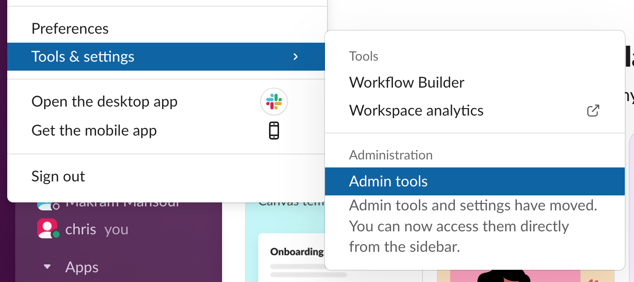
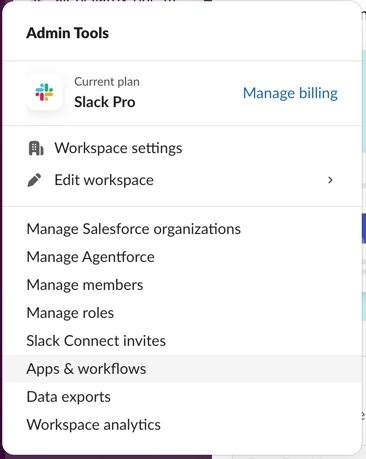
- Click on your workspace name and go to Tools & Settings → Admin Tools → Apps & workflows
- Click Build in the top right
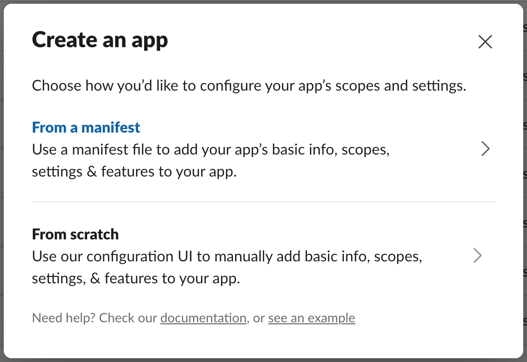
- Click Create New App
- Click From a Manifest
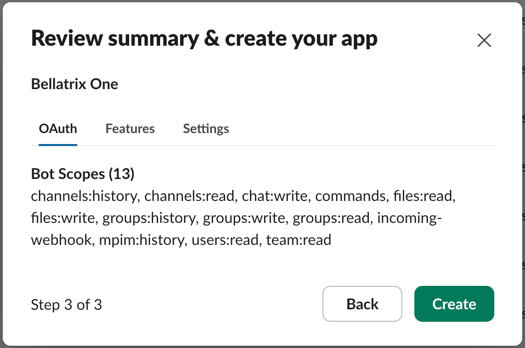
- Paste in the below manifest and finish creating the app
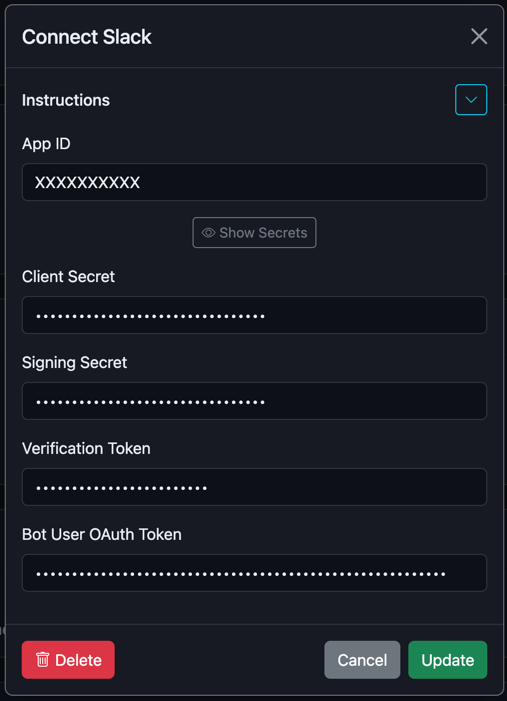
- Once the app is created, copy the App ID and secrets into the channel form
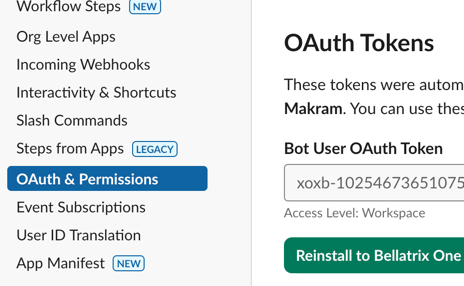
- The Bot User OAuth Token can be found after installing the app in the section OAuth & Permissions


{
  "display_information": {
    "name": "Bellatrix One"
  },
  "features": {
    "bot_user": {
      "display_name": "Bellatrix One",
      "always_online": true
    },
    "slash_commands": [
      {
        "command": "/bellatrix",
        "url": "https://www.bellatrix.one/slack/slash",
        "description": "Chat with tools",
        "should_escape": true
      }
    ]
  },
  "oauth_config": {
    "scopes": {
      "bot": [
        "channels:history",
        "channels:read",
        "chat:write",
        "commands",
        "files:read",
        "files:write",
        "groups:history",
        "groups:write",
        "groups:read",
        "incoming-webhook",
        "mpim:history",
        "users:read",
        "team:read"
      ]
    }
  },
  "settings": {
    "event_subscriptions": {
      "request_url": "https://www.bellatrix.one/slack/event",
      "bot_events": [
        "message.channels",
        "message.groups"
      ]
    },
    "org_deploy_enabled": false,
    "socket_mode_enabled": false,
    "token_rotation_enabled": false
  }
}
You should now see that Slack is connected. Success!
Next Steps
- View your channels
- Learn more about channels with Bellatrix One